Downloadable kit
AI Agent Migration Pack
Kit files are in English.
Move your agent to dedicated hardware with a checked cutover and a rollback plan.
$49.99One-time payment
I'm a subscriber: check my accessYearly: every kit included. Monthly: one new kit per billing cycle.
Delivered downloads are non-refundable. Return policy
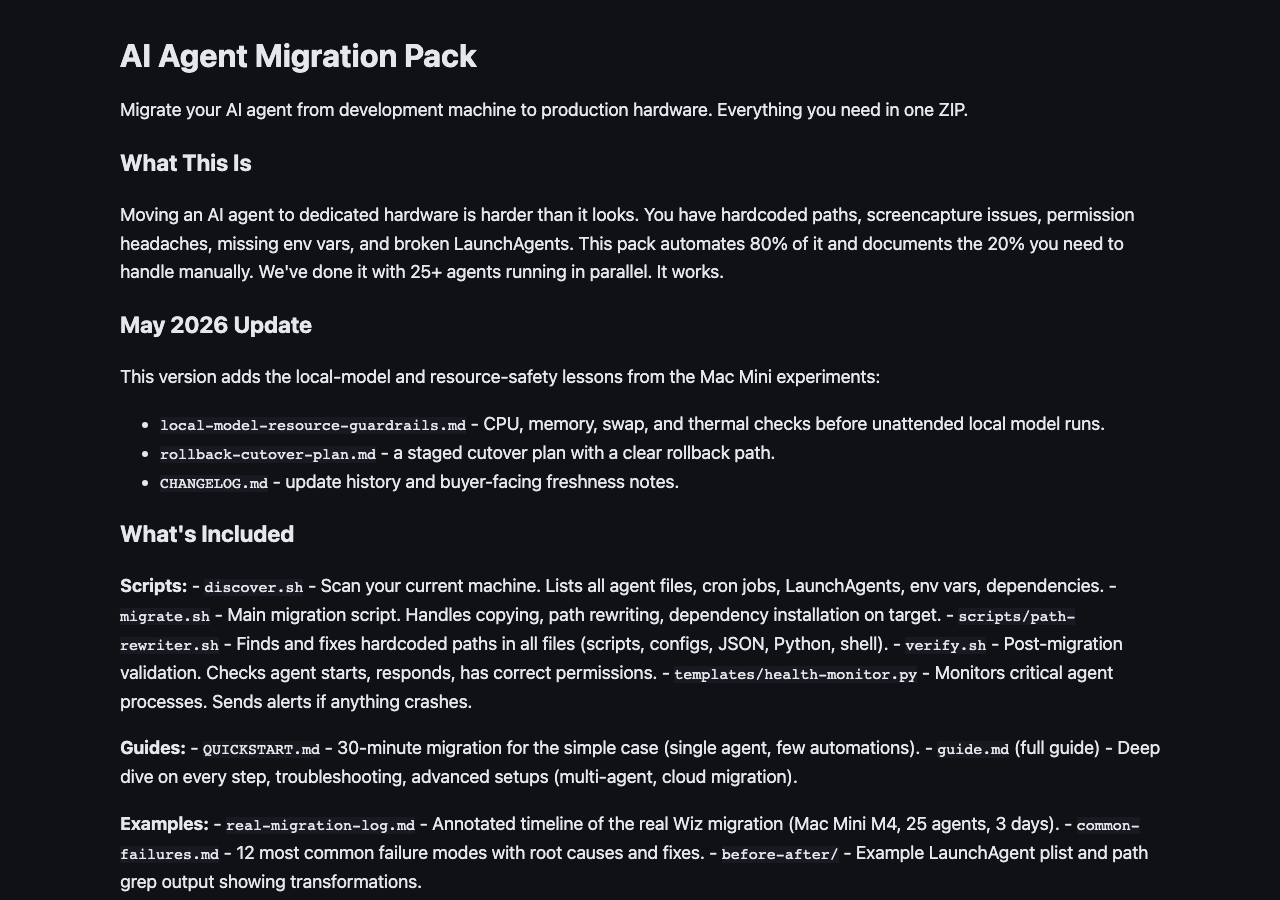 View full-size sample ↗
Access, downloads and refund policy
Yearly: every available kit and bundle, unlimited downloads.
Monthly: one new standalone kit per billing cycle, no bundles. Re-downloads are free and do not use a new claim.
Monthly subscriptions started before February 28, 2026 keep all-access, including bundles and unlimited downloads.
Monthly access currently allows three downloads per kit. Need another? Contact joozio@hey.com.
Download access while subscribed. Keep the files you download.
Digital downloads are non-refundable once delivered. We resend broken links, replace corrupt files and review products significantly different from their description case by case. Contact joozio@hey.com with your order details. Return policy
How it works
Move your AI agent to dedicated hardware. Discovery scripts scan your setup, cross-platform migration (Mac/Linux/cloud), headless operation, security hardening. From a real 72-hour production migration.
From a real 72-hour production migration, now updated with Mac Mini resource guardrails.
Latest update: 2026-09-09
September 9, 2026: Fixed a payback calculation that divided by an annual figure and reported roughly 26 months as 2.1. Repaired the BetterDisplay download command, which had been 404ing, and the Anthropic API keys link.
- Added local-model-resource-guardrails.md
- Added rollback-cutover-plan.md
- Corrected path-rewriter and health-monitor references in the docs
Best for
- +Moving an agent from a daily laptop to a Mac Mini, Linux box, or cloud VM
- +Agents with cron jobs, LaunchAgents, state files, credentials, and hardcoded paths
Not for
- -One-off scripts that do not need 24/7 uptime
- -Hardware moves without SSH/admin access to the target machine
What you get
Package includes
- •Comprehensive Markdown guide (~40 pages, 12 chapters): architecture, planning, execution, verification
- •discover.sh: scans current machine, inventories agents/crons/paths/dependencies (outputs JSON)
- •migrate.sh: orchestrates the full migration with dry-run mode
- •verify.sh: post-migration health check (services running, paths valid, permissions correct)
- •scripts/path-rewriter.sh: finds and rewrites every hardcoded path with backup
- •Platform-specific setup scripts (macOS, Ubuntu/Debian, cloud VM)
- •local-model-resource-guardrails.md and rollback-cutover-plan.md
- •Headless operation guide (BetterDisplay, xvfb, VNC, virtual displays)
- •LaunchAgent/cron/systemd migration templates with automatic conversion
- •Security hardening checklist (SSH, TCC, firewall, credential management)
- •Health monitor template (Python watchdog with alerting)
- •Cost calculator (hardware vs cloud ROI comparison)
- •QUICKSTART.md: working migration in 30 minutes (simple case)
- •CHANGELOG.md
FAQ
Does this only work with Claude Code?
No. The migration scripts work with any AI agent system: Claude Code, OpenClaw, Aider, Continue, or custom setups. The discovery script finds whatever is running on your machine.
Do I need a Mac Mini specifically?
No. The kit covers Mac Mini, any Linux server (Ubuntu/Debian), cloud VMs (DigitalOcean, AWS, Hetzner), and Windows WSL. Each platform has its own setup path.
How long does migration take?
Simple setups (single agent, few automations): 30-60 minutes with the QUICKSTART. Complex setups (multiple agents, many cron jobs, headless requirements): 2-4 hours with the full guide. The discovery script tells you which path you need.
What if my agent has hardcoded paths?
The discover.sh script specifically catches hardcoded paths and generates a replacement map. This was one of the biggest silent failure modes in the real migration this kit is based on.
Can I feed this to my AI agent?
Yes. The guide is structured for AI agents to follow step-by-step. The discover.sh output is machine-readable JSON. You can paste the agent-guide into your agent and say "migrate me."