Library
AI Workflow Playbook: L&D Edition
Kit files are in English.
Plan training, build assessments and review learning needs with practical AI tools.
Yearly: every kit included. Monthly: one new kit per billing cycle.
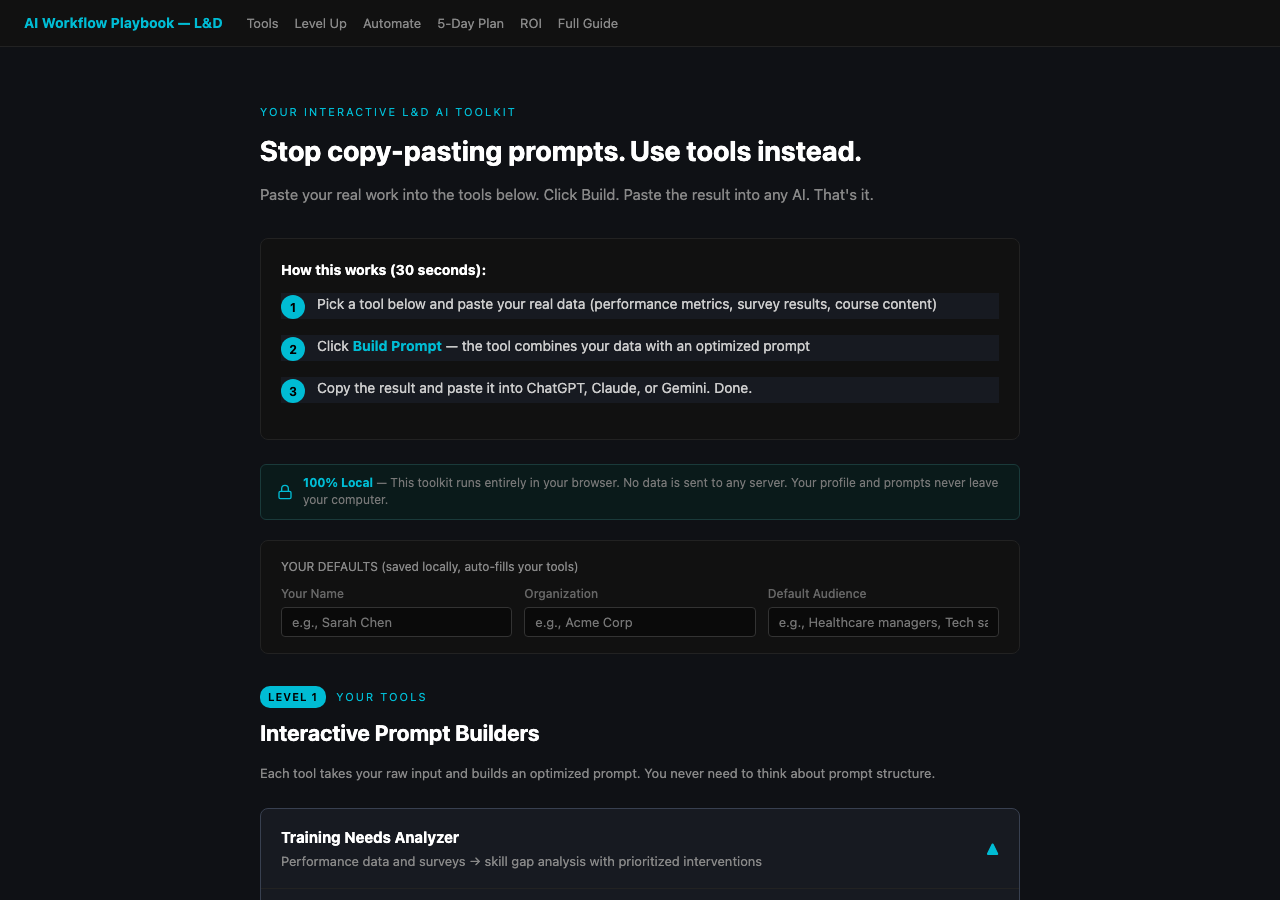 View full-size sample ↗
Access, downloads and refund policy
Yearly: every available kit and bundle, unlimited downloads.
Monthly: one new standalone kit per billing cycle, no bundles. Re-downloads are free and do not use a new claim.
Monthly subscriptions started before February 28, 2026 keep all-access, including bundles and unlimited downloads.
Monthly access currently allows three downloads per kit. Need another? Contact joozio@hey.com.
Download access while subscribed. Keep the files you download.
Already bought this? Your download link still works.
How it works
Interactive AI toolkit for L&D professionals. 6 built-in tools for needs analysis, course design, assessments, and reporting. Paste your data, get results instantly.
60% of US teachers use AI in 2026, while corporate L&D teams sit behind the people they train. This closes the gap.
Latest update: 2026-09-09
September 9, 2026: Tool comparison table updated to the current model lineup and to Google's Gemini plan rename.
What you get
Package includes
- •START-HERE.html: interactive toolkit with 6 built-in tools (open in browser)
- •PLAYBOOK.html: 10-chapter deep-dive guide for the full theory and frameworks
- •Level 1: Interactive tools that combine your data with optimized prompts
- •Level 2: Step-by-step AI workspace setup (Claude Projects, Custom GPTs, Gems)
- •Level 3: Zapier automation recipes with walkthrough instructions
- •5-day implementation plan from first tool use to full automation
- •Built-in ROI calculator and security quick-reference
FAQ
Do I need any technical skills?
No. You open one HTML file in your browser. Paste your training data into form fields. Click a button. Paste the result into ChatGPT, Claude, or Gemini. That is it.
How is this different from a prompt template pack?
Templates make you do the prompt engineering. This toolkit does it for you. You paste your real data (survey results, course notes, feedback), click Build & Copy, and get a complete prompt with your data already woven in.
Will this work with our LMS?
Yes. The toolkit is LMS-agnostic. You generate content with AI and upload to whatever platform you use (Cornerstone, SAP, Moodle, etc.).
Does this scale to large organizations?
Yes. The tools work the same whether you train 10 or 10,000 people. Level 3 automation recipes help you scale without scaling effort.